
Reviews
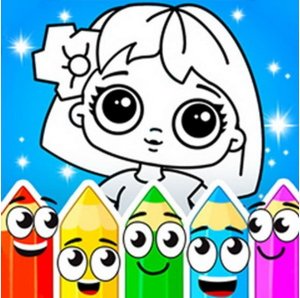
Creative Coloring Studio offers a peaceful escape for anyone who enjoys art. The variety of pictures and stickers keeps the experience fresh, while the freestyle mode encourages original creativity. The simple controls make it accessible for children and adults alike. It is a wonderful way to relax and express yourself without any stress.
Description
Game Introduction
Creative Coloring Studio offers a calm and enjoyable space for artistic expression. This online activity is designed for players of all ages who want to explore their creative side without any pressure. The core idea is simple: select a picture from a varied collection and fill it with colors that appeal to you. The experience is meant to be soothing and fun, allowing you to focus on the process rather than the outcome. What makes this game special is the combination of guided coloring and free-form drawing. You can choose to work on pre-made designs or start with a blank canvas and create something entirely new. The game provides a rich set of colors and decorative stickers that you can use to personalize each piece. Every finished artwork is saved as a unique creation, reflecting your personal taste and imagination. It is a safe, family-friendly environment where you can relax and enjoy making art at your own pace.
How to Play
Getting started with Creative Coloring Studio is straightforward. First, you browse through the available pictures and pick one that catches your interest. Once you have selected a design, you can begin adding color by choosing from the palette and tapping or clicking on the areas you want to fill. The game also includes a variety of stickers that you can place on your artwork to add extra details and make it more playful. If you prefer to create something from your imagination, you can switch to the freestyle drawing mode. In this mode, you have a blank canvas where you can draw lines, shapes, and patterns using the tools provided. There are no strict rules or time limits, so you can experiment freely. Each completed piece is automatically saved, allowing you to build a gallery of your own creations over time.
Game Features
Creative Coloring Studio includes several features that enhance the creative experience. There is a large selection of pictures to color, covering various themes and styles. The game provides a wide range of colors to choose from, giving you flexibility in your artwork. Decorative stickers are available to add playful touches to your designs. A freestyle drawing mode allows you to create original artwork on a blank canvas. Each piece you finish is saved as a unique creation, so you can look back at your work later. The interface is designed to be simple and intuitive, making it easy for anyone to start creating right away.
Tips for Success
To get the most out of Creative Coloring Studio, take your time and enjoy each step. Try different color combinations to see what looks best to you. Use stickers sparingly to highlight special areas. In freestyle mode, start with simple shapes and build up to more complex drawings. The key is to relax and have fun with the process, not to worry about making everything perfect. Sharing your finished pieces with friends can also add to the enjoyment.
Compatibility
Faq
Handpicked Games

Royal Tile Matching Puzzle

Shelf Sorting Puzzle Adventure

Puzzle Box Color Match
Color Tower Puzzle Game

Fruit Harmony Match 3 Puzzle
Fruit Match Rescue Puzzle

Soccer Car Clash

Construction Excavator Operator Online

Drive Ace 3D Racing Challenge

Player Comments
Sign in to comment
You must be logged in before posting a review or rating.
No account? Create one
No comments yet. Be the first to comment!