
Reviews
Word Guess Educational Puzzle offers a straightforward yet engaging experience for word game fans. The color-coded feedback system is intuitive, helping players learn as they play. Multiple difficulty levels keep the challenge fresh, and the family-friendly word list makes it safe for kids. The clean interface and high score tracking add to its appeal. A solid choice for quick brain training sessions.
Description
Game Introduction
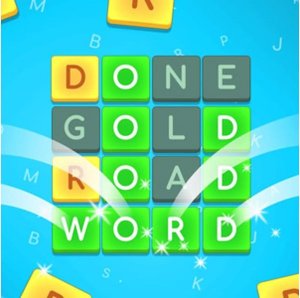
Word Guess Educational Puzzle is a free online brain game that challenges players to find a hidden word using deductive reasoning. The game presents a simple but engaging puzzle: guess the correct word within a set number of tries. What makes this game special is its clear color-coded feedback system. After each guess, letters change color to show if they are correct, misplaced, or not in the word. This feedback helps players learn and adjust their strategy. Designed for kids and puzzle fans, the game runs in any web browser without downloads. The word list is carefully chosen to be family-friendly and age-appropriate, making it a safe choice for young players. The clean interface allows for focused play, whether for a quick break or longer sessions. The game also tracks high scores, encouraging players to improve their performance over time.
How to Play
To play, players first choose a difficulty level that matches their experience. Then, they type a word they think might be the hidden answer. After submitting each guess, the letters change color to provide clues: green means the letter is in the correct position, yellow means the letter is in the word but in a different spot, and red means the letter is not in the word. Players have six attempts to find the correct word. Using the color feedback, they can eliminate wrong letters and try different positions for misplaced ones. The game continues until the player guesses the word correctly or runs out of attempts. This process encourages logical thinking and pattern recognition.
Game Features
Key features of Word Guess Educational Puzzle include multiple difficulty modes that adjust the challenge. The color-coded letter feedback system helps players learn and refine their guesses. The game has a clean, distraction-free interface that supports focused play. It is built as an online HTML5 game, so it works directly in a web browser without any downloads. The high score feature lets players track their progress and aim for better results. The word selection is family-friendly and age-appropriate, making it suitable for kids. The game is also unblocked, meaning it can be played on many school or work networks.
Tips for Success
To improve your performance, start with words that use common letters. Pay close attention to the color feedback after each guess, as it tells you which letters to keep or discard. Use a process of elimination: avoid reusing letters that appear red. For yellow letters, try them in different positions. Practice regularly to build your vocabulary and pattern recognition. Stay patient and think carefully, as each guess brings you closer to the solution.
Compatibility
Faq
Handpicked Games

Dash Match 3 Puzzle

Royal Tile Matching Puzzle

Shelf Sorting Puzzle Adventure

Match Away 3D Cube Puzzle

Cosmic Match 3 Puzzle
Jelly Jive Match 3 Puzzle

Puzzle Box Color Match

Juice Match Puzzle

Color Tower Puzzle Game

Player Comments
Sign in to comment
You must be logged in before posting a review or rating.
No account? Create one
No comments yet. Be the first to comment!