
Reviews
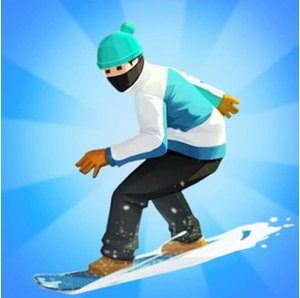
Winter Downhill Racing 3D delivers a polished arcade experience with responsive controls and a bright holiday theme. The tracks are well-designed with a good mix of straightaways and curves, and the ability to perform tricks adds a nice layer of skill. The game is entirely family-friendly and runs smoothly in any browser, making it an excellent choice for casual players of all ages.
Description
Game Introduction
Winter Downhill Racing 3D is a fast-paced arcade game set on a snowy mountain during the holiday season. Players take control of a skier or snowboarder and compete against AI opponents on a downhill course filled with steep slopes and sharp turns. The bright 3D graphics and festive decorations create a cheerful atmosphere. The main goal is to reach the finish line with the fastest time, using speed boosts and careful navigation to overtake rivals. This game is designed for players of all ages who enjoy racing and winter themes.
How to Play
Players steer their character left or right using the mouse or keyboard to navigate the course. The main objective is to avoid obstacles such as trees and rocks that can slow you down. Collecting glowing signs on the ground activates temporary speed boosts, helping you gain an advantage. When approaching a high platform, players can jump and perform flips or tricks in the air by pressing a key and holding the mouse. Landing cleanly maintains speed. The race ends at the finish line, and the fastest time wins. Practice on each track to learn the best paths and boost locations.
Game Features
Features include thrilling downhill racing against AI opponents, an immersive Christmas theme with snowy trees and twinkling lights, and speed boosts placed along the track. Players can perform flips and jumps for style points. The controls are simple to learn but offer depth for mastery. The game is family-friendly with no violence or inappropriate content, making it suitable for kids and adults alike. It runs in HTML5, so it works in most web browsers without downloads.
Tips for Success
To improve your performance, practice each track to memorize obstacle locations and optimal boost paths. Focus on clean landings after jumps to maintain speed. Use speed boosts strategically, especially on straight sections or before sharp turns. Stay centered on the course to avoid obstacles and maintain control. As you race, keep an eye on opponents to anticipate their moves. Regular practice will help you refine your reflexes and find the fastest routes.
Compatibility
Faq
Handpicked Games

Royal Tile Matching Puzzle

Puzzle Box Color Match

Color Tower Puzzle Game

Fruit Harmony Match 3 Puzzle
Fruit Match Rescue Puzzle

Soccer Car Clash
Merge Drive Stunt Racing
City Firefighter: Rescue Driving Sim
Construction Excavator Operator Online
Player Comments
Sign in to comment
You must be logged in before posting a review or rating.
No account? Create one
No comments yet. Be the first to comment!